
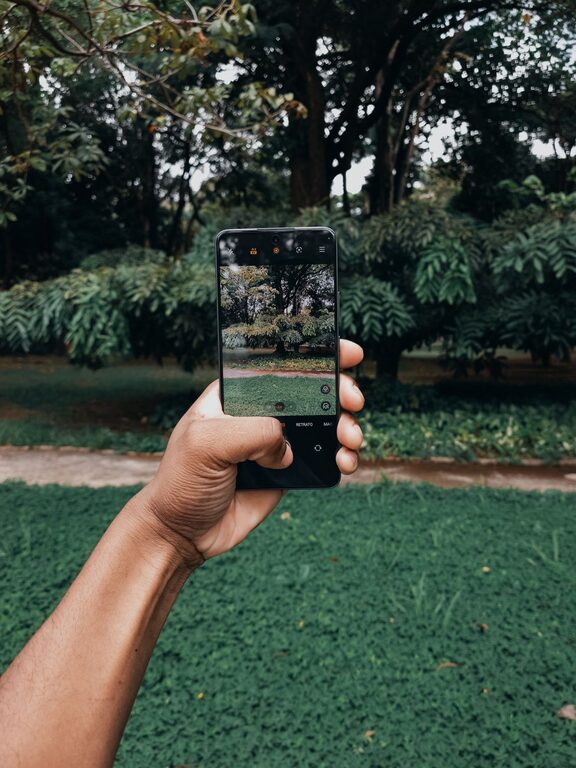
Taking great photos with your phone is easier than you might think. Whether you’re capturing memories with family, documenting a trip, or just experimenting with your camera, a few simple tips can help you take clearer, more vibrant images. This guide will walk you through beginner-friendly advice to improve your phone photography skills and make your pictures stand out.
Understanding Your Phone Camera
Before diving into specific tips, it’s important to familiarize yourself with your phone’s camera features.
– Explore the camera app: Spend some time navigating the settings and modes.
– Learn about resolution and aspect ratio: Higher resolution means sharper photos, but larger file sizes.
– Try different modes: Many phones offer portrait, panorama, night, and pro modes.
Knowing what your camera can do helps you use it more effectively.
Basic Tips for Better Phone Photos
1. Clean Your Lens
It’s simple but often overlooked. Your phone sits in your pocket or bag, and the lens can get smudged easily.
– Use a soft, lint-free cloth to gently wipe the lens.
– Avoid using abrasive materials or harsh chemicals.
A clean lens makes a noticeable difference in clarity.
2. Focus Properly
Tap on the screen where you want the camera to focus. Most phones allow you to:
– Adjust exposure by sliding your finger up or down.
– Lock focus by holding your finger on the area.
Proper focus ensures your subject is sharp and well-lit.
3. Use Natural Light
Good lighting is key to great photos.
– Whenever possible, shoot outdoors or near windows.
– Avoid harsh midday sun; early morning or late afternoon offers softer, warmer light.
– If indoors, turn on lights or use window light instead of your phone’s flash.
Natural light can enhance colors and reduce noise in photos.
4. Hold Your Phone Steady
Blurry images are often caused by camera shake.
– Hold your phone with both hands.
– Keep your arms close to your body.
– Use surfaces like walls or tables for support if possible.
– Consider using a small tripod for more stability.
Stability leads to sharper pictures.
5. Compose Your Shot Thoughtfully
Composition makes your photos interesting and balanced.
– Use the rule of thirds by enabling the grid in your camera settings. Place important elements along the grid lines or intersections.
– Look for leading lines, patterns, or symmetry.
– Avoid cluttered backgrounds that distract from your subject.
– Experiment with angles—try shooting from above, below, or the side.
Taking a moment to frame your photo improves storytelling.
Advanced Tips to Explore
6. Take Advantage of HDR
HDR (High Dynamic Range) combines multiple exposures to capture details in shadows and highlights.
– Turn on HDR in tricky lighting situations like backlit scenes.
– Check your photos after to make sure HDR hasn’t made them look unnatural.
This feature helps balance brightness for better overall photos.
7. Use the Camera’s Grid and Level
Most phones offer grid lines and a level indicator to help you keep horizons straight and compositions balanced.
– Activate the grid in your settings.
– Use the level feature to prevent tilted photos, especially for landscapes and architecture.
Straight photos look more professional.
8. Experiment with Editing Apps
Editing can enhance your photos and fix small issues.
– Use apps like Snapseed, Lightroom, or VSCO for basic adjustments.
– Crop to improve composition.
– Adjust brightness, contrast, and saturation for better colors.
– Apply filters sparingly to maintain natural looks.
Editing is a powerful tool when used with moderation.
Tips for Specific Types of Photos
Portraits
– Use portrait mode if your phone has it to blur the background.
– Focus on the eyes to create engaging images.
– Shoot during golden hour for flattering light.
Landscapes
– Use wide-angle mode if available.
– Include a foreground object for depth.
– Keep horizons straight using the grid.
Action Shots
– Use burst mode to capture multiple frames.
– Hold your phone steady or use stabilization features.
– Try to anticipate the moment to press the shutter at the right time.
Practice and Patience
Improving your phone photography takes practice. Don’t be discouraged by less-than-perfect shots.
– Review your pictures and learn what worked.
– Take lots of photos to experiment.
– Join online communities for inspiration and feedback.
The more you shoot, the better you’ll understand your camera and style.
Conclusion
With a few beginner-friendly tips, you can significantly improve your phone photos. Clean your lens, focus carefully, use natural light, and compose thoughtfully. Explore your camera’s features and experiment with editing to make your images pop. Remember, great photography comes from both technical skills and a creative eye—so keep practicing and enjoy capturing the world around you!
About the Author